See where your money goes
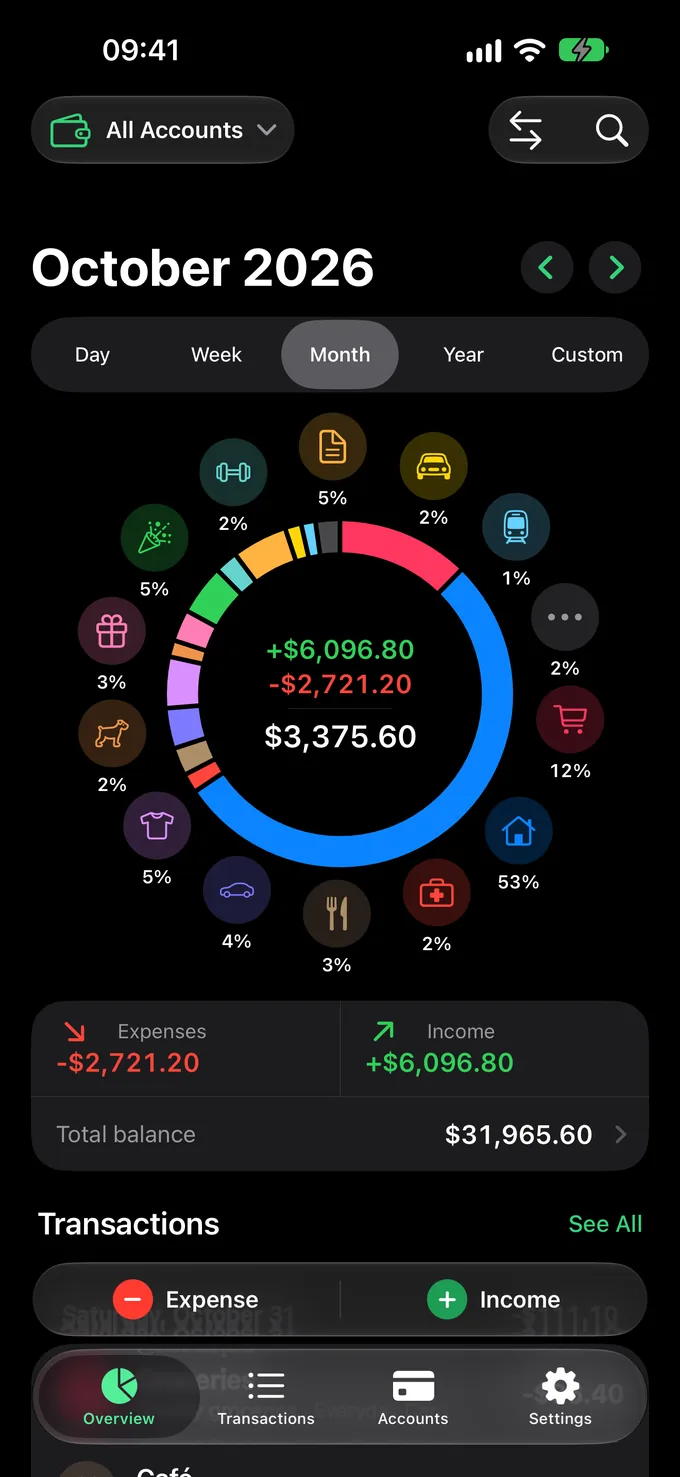
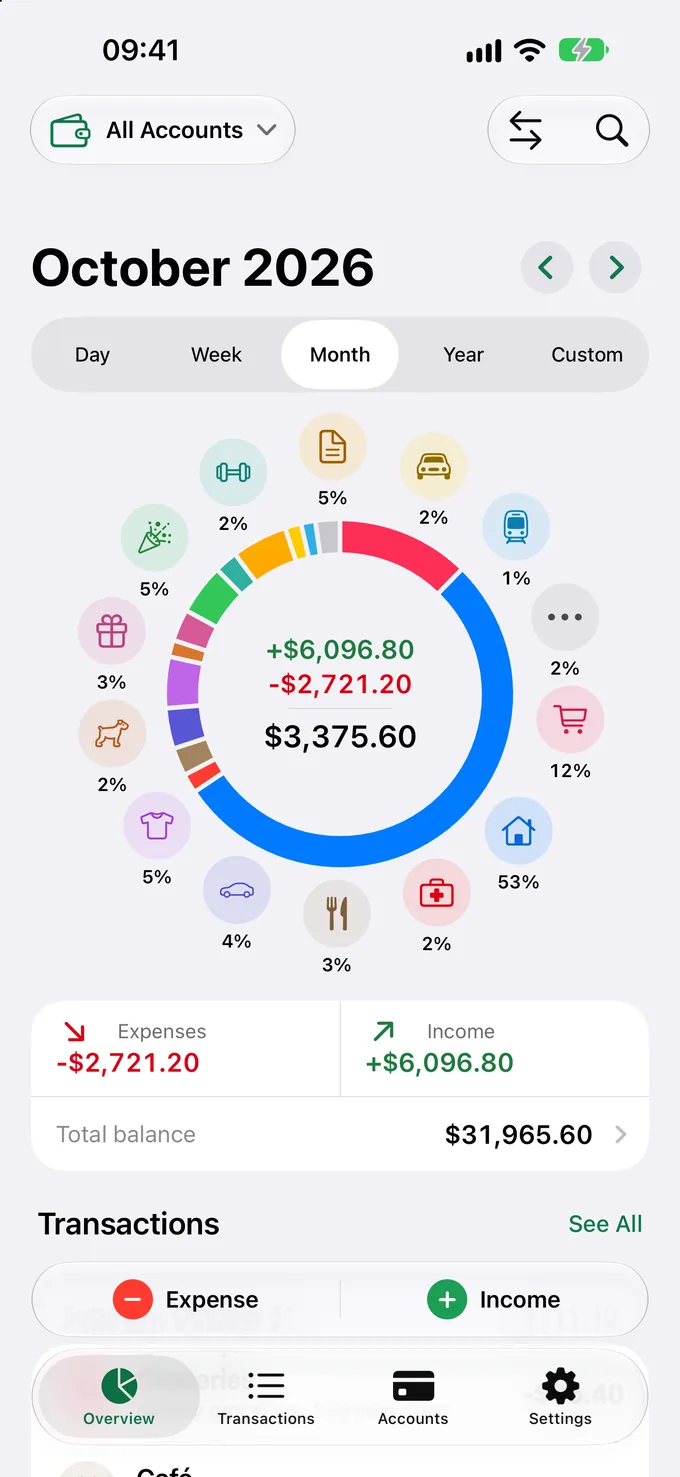
Wheelet puts your whole month in one ring. Tap a category, type the amount — done. No sign-up, no bank logins, no clutter.
Free to download · 7-day free Pro trial · 30 languages
Bills 5%Taxi 2%Transport 1%Other 2%Groceries 12%Housing 53%Health 2%Café 3%Car 4%Clothing 5%Pets 2%Gifts 3%Entertainment 5%Sports 1%
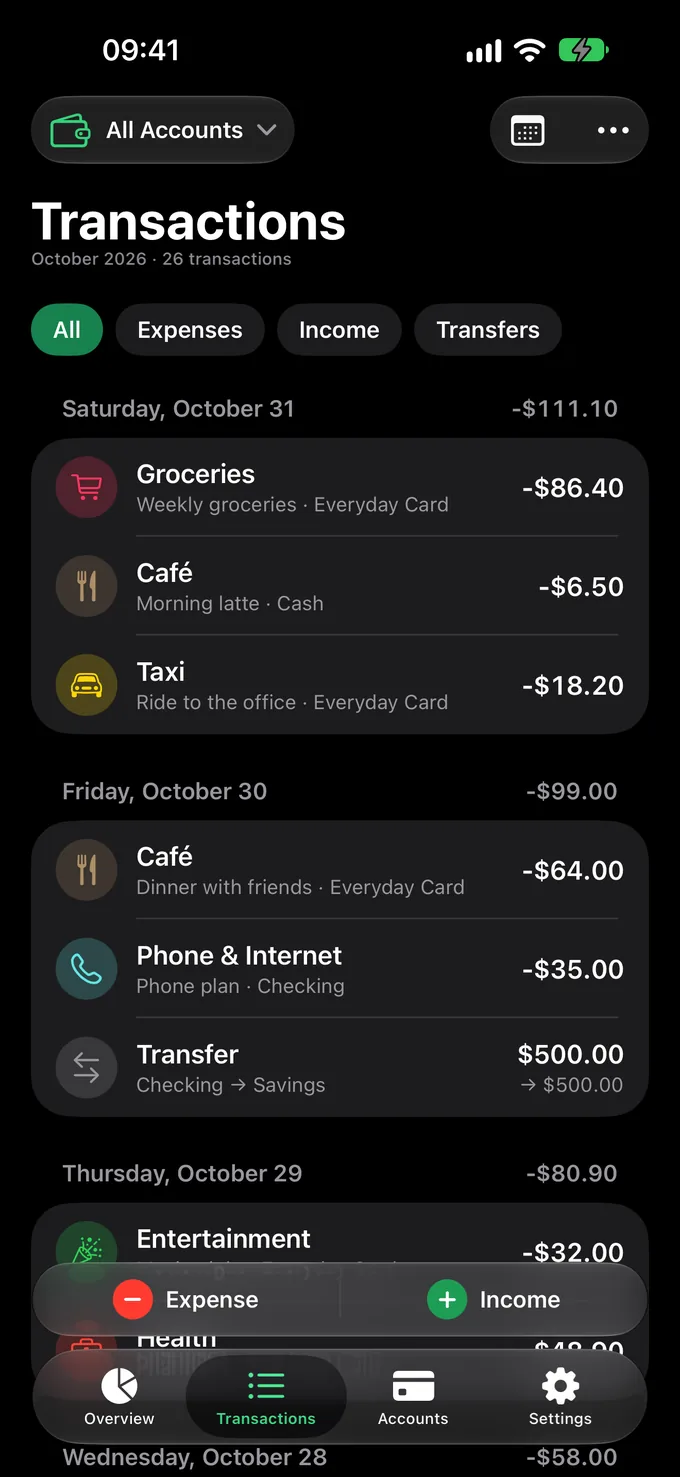
Groceries Everyday Card −$86.40
Salary Checking +$3,500.00
Spin the wheel
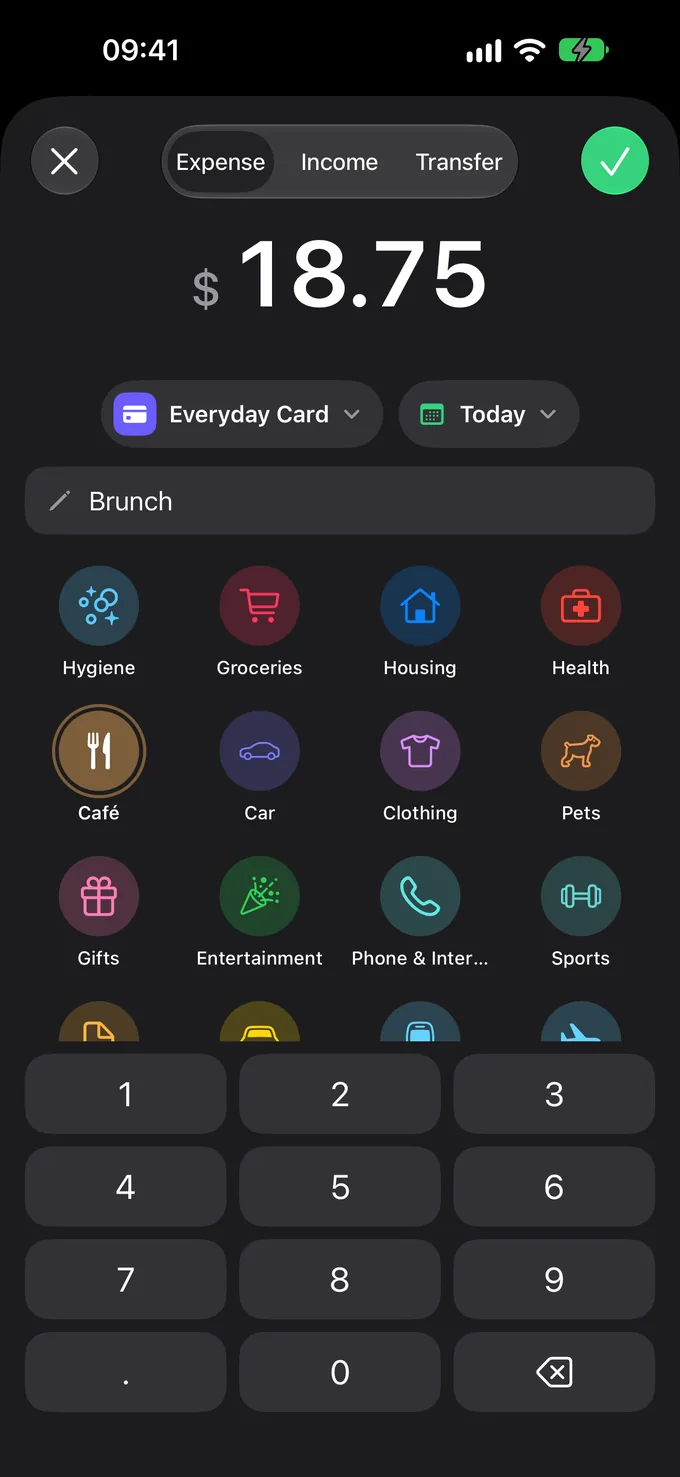
Log an expense in three taps
The ring isn’t just a chart. Every category around it is a shortcut straight into a new expense.
1 Tap a category on the wheel Every expense category sits around your ring. One tap opens a new expense with it already picked.
2 Type the amount Account and date are pre-filled. Change them only when they’re not the usual.
3 Hit the check — the ring redraws Your month updates instantly, sector by sector. That’s it.
Simple · Private · Yours
Everything your money needs. Nothing it doesn’t.
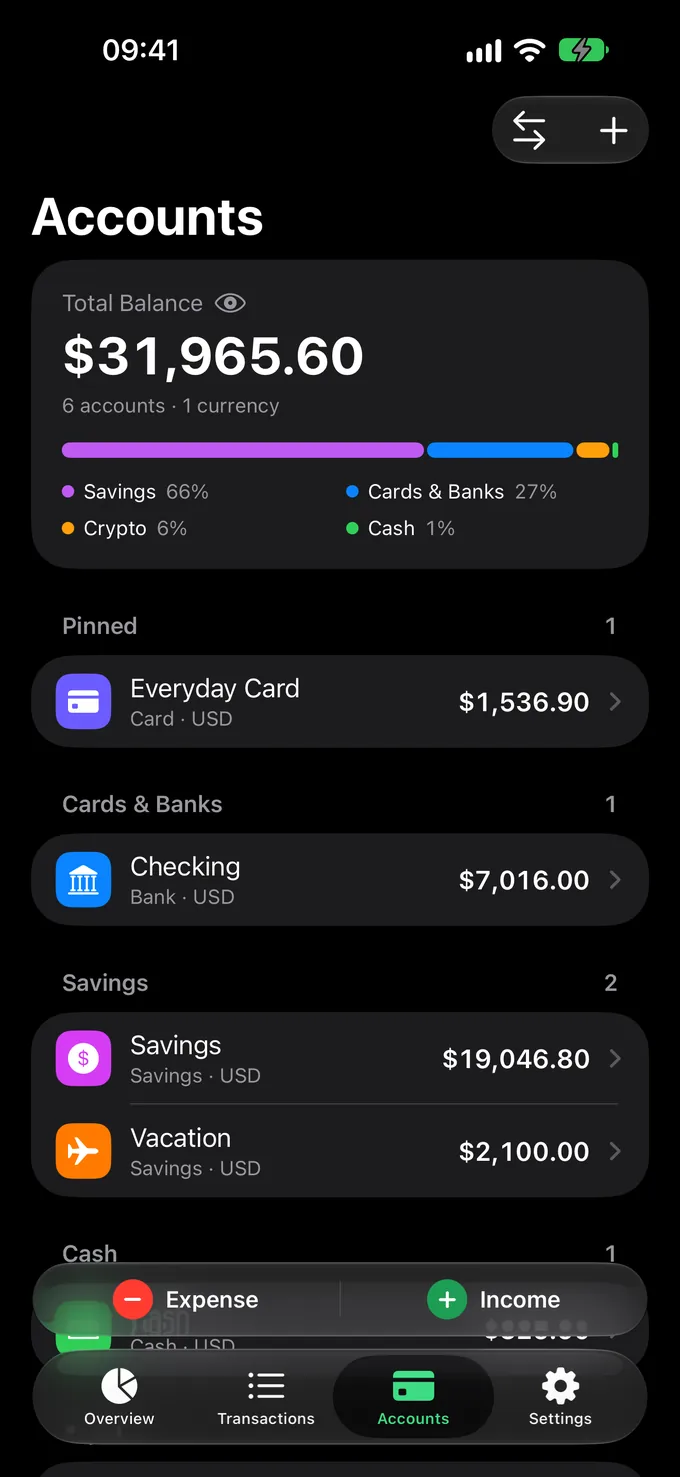
Every account, one balance Cards, cash, savings and crypto — grouped, in any currency, rolled up into one number.
Total Balance
$31,965.60
Every expense in its place A clear daily feed with filters and search. Tap to edit, swipe to duplicate or delete.
Categories you’ll spot at a glance Bold icons and bright colors. Reorder them — the wheel follows.
Dark or light Native Liquid Glass. Follows your system or your mood.
Any currency Live exchange rates keep a multi-currency life in one total.
Face ID lock For your eyes only.
Lock Screen buttons Add an expense from the Lock Screen, Control Center or the Action button.
Apple Pay, logged for you Shortcuts automations record card payments in the right category.
Daily reminder A gentle nudge in the evening, so no expense slips through.
Backup & CSV Sync through your own Google Drive, plus CSV export and import.
Privacy first
Your money, your business
No sign-up and no bank passwords. Your data lives on your iPhone — lock it with Face ID and back it up to your own Google Drive when you want.
Read the Privacy Policy
Wheelet Pro
Free to start. Pro when you’re ready.
Every feature, on all your devices. Try Pro free for a week.
Free
$0
Everything to start tracking today
Download free
Unlimited accounts Cards, cash and savings. The free version allows 3.
Your own categories Add categories with any icon and color.
Shortcuts automations Log Apple Pay payments automatically and add operations with Siri.
Lock Screen buttons Add an expense from the Lock Screen, Control Center or the Action button.
$19.99 a year Just $1.67 a month
$2.99 a month 7 days free · Cancel anytime
Start Free Trial
Prices in US dollars; the App Store shows the price for your country. Pro is an auto-renewable subscription with a 7-day free trial. Cancel anytime in Settings at least 24 hours before the period ends.
FAQ
Questions? Answers.
Something else on your mind? Write to us
Do I need an account to use Wheelet? No. There’s no sign-up and no email. Open the app and start logging.
Where is my data stored? On your iPhone. Lock the app with Face ID, back up to your own Google Drive, or export everything to CSV whenever you like.
Does Wheelet connect to my bank? No bank logins, ever. Add expenses in a couple of taps — or let Shortcuts log your Apple Pay payments automatically (Pro).
Is Wheelet free? Yes. The core app is free. Pro unlocks unlimited accounts, your own categories, Shortcuts automations and Lock Screen buttons — $2.99 a month or $19.99 a year, with a 7-day free trial.
Which currencies and languages are supported? Any currency, with live exchange rates. The app speaks 30 languages.
How do I move my data to a new iPhone? Connect Google Drive in Settings on both devices, or export a CSV file and import it on the new one.
Your month, in one ring.
Wheelet is coming to the App Store soon.
Coming soon to the App Store